
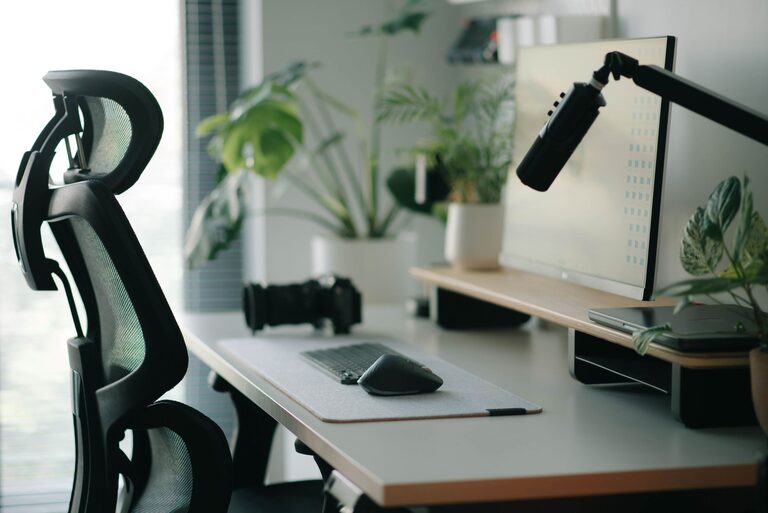
Desk Setup Tips for Focus and Comfort
Creating an ideal desk setup is key to enhancing both your focus and comfort while working or studying. A well-organized, ergonomic workspace can reduce distractions, prevent strain, and improve your overall productivity. Whether you’re working from home or in an office, these desk setup tips will help you design a comfortable and efficient environment.
Why Your Desk Setup Matters
The way your desk is arranged affects your posture, concentration, and even mood. A cluttered or poorly designed workspace can lead to discomfort, fatigue, and decreased focus. On the other hand, a thoughtfully arranged desk encourages good habits and helps you stay motivated throughout the day.
Choosing the Right Desk and Chair
Opt for an Adjustable Chair
Your chair plays a major role in comfort and posture. Select a chair with adjustable height, lumbar support, and armrests. This will help you maintain a neutral spine position, reducing the risk of back and neck pain.
– Adjust the seat height so your feet are flat on the floor.
– Keep your knees at a 90-degree angle.
– Ensure your lower back is supported with the chair’s lumbar support.
Select a Desk Suited to Your Needs
Choose a desk that matches the space you have and fits your work style. If possible, consider an adjustable standing desk to alternate between sitting and standing, which promotes blood flow and reduces fatigue.
– Desk height should allow your forearms to rest comfortably parallel to the floor.
– Ensure the desk surface is large enough for your monitor(s), keyboard, and workspace.
Organizing for Focus
Keep Essentials Within Reach
Minimize distractions by keeping frequently used items within arm’s reach. This reduces unnecessary movements and interruptions to your workflow.
– Place your keyboard and mouse close to avoid overreaching.
– Use desk organizers or trays for pens, notebooks, and other supplies.
Declutter Your Space
A clean and tidy desk can clear mental clutter and help you focus.
– Remove unnecessary papers and gadgets.
– Use cable management solutions to keep cords out of sight.
– Adopt a daily “clean up” routine to maintain order.
Optimizing Lighting
Use Natural Light When Possible
Natural light reduces eye strain and boosts mood. Position your desk near a window but avoid direct glare on screens.
Supplement with Task Lighting
If natural light is limited, a quality desk lamp with adjustable brightness helps maintain focus.
– Use warm light for a relaxing environment or cool white for alertness.
– Position lamps to minimize shadows and glare on your workspace.
Monitor and Screen Setup
Position Your Monitor Correctly
Place your monitor directly in front of you at about an arm’s length away. The top of the screen should be at or just below eye level.
– This alignment helps reduce neck strain.
– Use monitor stands or risers if needed.
Consider Multiple Screens
If your work involves multitasking, using dual monitors can save time and enhance productivity. Arrange them so you can easily glance between screens without excessive head movement.
Maintaining Proper Posture
Keyboard and Mouse Placement
Keep your keyboard and mouse at the same height, close enough to prevent reaching. Your wrists should be straight, and elbows close to your body.
– Consider an ergonomic keyboard or mouse if you experience discomfort.
– Use a wrist rest to support your hands if needed.
Take Stretch Breaks
Even with the best setup, taking short breaks to stretch and move is vital to avoid stiffness and maintain focus.
– Stand, stretch, or walk every 30-60 minutes.
– Simple stretches for your neck, shoulders, and wrists can make a big difference.
Adding Comfort and Personal Touches
Include Supportive Accessories
Small additions can boost your comfort significantly.
– Use a footrest if your feet don’t comfortably reach the floor.
– Try a seat cushion for extra comfort during long sitting sessions.
– Adjustable monitor arms offer flexibility in positioning screens.
Personalize Your Workspace
Add plants, photos, or artwork to make your desk inviting and reduce stress. However, avoid cluttering the space with too many items.
Tech and Tools for Enhanced Productivity
Use Noise-Cancelling Headphones
If you work in a noisy environment, these can help you concentrate.
Organize Digital Workflows
Keep desktop files and emails organized to reduce digital clutter alongside your physical setup.
Final Thoughts
Setting up a desk that promotes both focus and comfort doesn’t require expensive equipment or a lot of space. By paying attention to ergonomics, lighting, organization, and personalization, you can create a workspace that supports your well-being and efficiency. Remember to adjust your setup as needed and listen to your body’s signals to maintain productivity throughout your day.